Threads Automation (2026) — What the Official API Can and Can't Do, and Why Auto-Follow and Comment Bots Are Risky
Run a Threads account every day and you keep hitting the same thought: "Can't this be automated?" Posts need to go out several times a day, replies pile up, and you want more followers. Search for "Threads automation tools" and you get auto-posting tools mixed on the same page with auto-follow and auto-comment programs. They look similar from the outside, but they work in completely different ways and carry very different risks for your account. This post separates the automation you can do with Meta's official Threads API from the automation you can't, and lays out a setup that automates your work while keeping your account safe.
Before you read: The scope of the official API was checked against Meta's Threads API developer documentation in October 2026. Meta adds API features regularly, so details may change. This post is written by the UUP team, which builds Threads auto-upload and reply-management features.
1. There are two kinds of Threads automation — official API and unofficial control
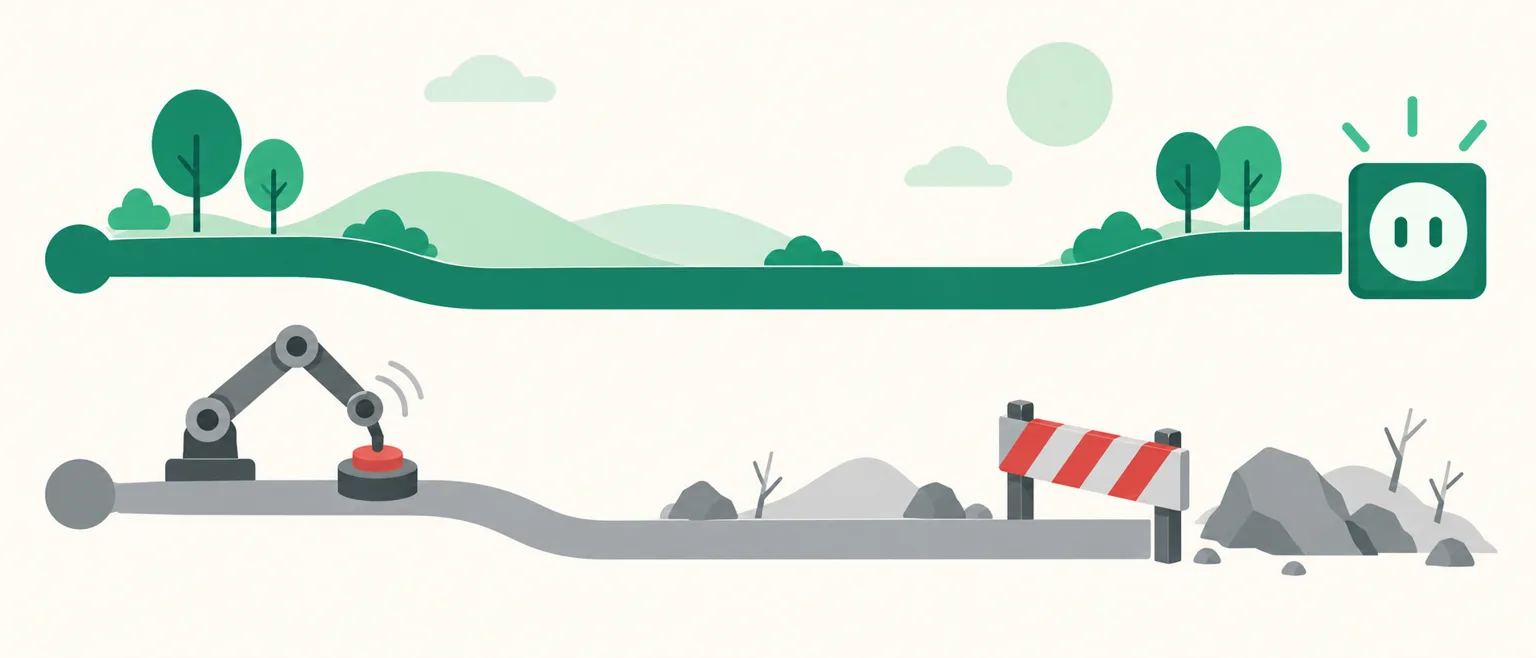
Official API automation uses the Threads API Meta opened in June 2024. When the account owner grants a tool permission (OAuth consent), the tool calls only the features Meta has opened, within the limits Meta sets. You never hand over your password, and you can revoke access at any time.
Unofficial automation imitates a human finger. A program drives the browser or app screen for you — tapping follow buttons, pasting text into comment boxes. It usually needs your username and password, or your login session, to run. To Threads, it looks like one person repeating the same action at a speed no human could manage.
The dividing line is simple: does the API have that feature? If it does, an official tool can do it. If it doesn't, any program selling that feature is controlling the screen unofficially.
2. What the official API can do — feature table
| Area | Possible with the official API |
|---|---|
| Publishing | Post text, photos, videos, multi-image (carousel) and link-attached posts |
| Your content | List and read the posts you published |
| Replies | Read replies to your posts, reply, hide and unhide replies |
| Reply scope | Set who can reply to a new post |
| Mentions | Read public posts that mention your account |
| Insights | Views, likes, replies, reposts, quotes, follower count |
What matters here is what's missing. The official API has no feature for following other accounts. There's also no way to like other people's posts or scatter comments on posts from accounts you don't know. We couldn't confirm any official route for handling Threads DMs either. So a program promising "Threads auto-follow" or "Threads auto-DM" is best understood as controlling the screen outside the official API.
3. Why auto-follow and mass-comment bots are risky
- They leave patterns no human could produce. Hundreds of follows within minutes, or dozens of comments with the same text, are the first signals spam detection catches. The usual first symptom is a notice that an action has been blocked; repeat it and you face feature restrictions and account suspension.
- You hand your login to someone else. Unofficial programs need your password or session to work. At that moment, the program's maker can do anything with your account. Threads is tied to your Instagram account, so an incident can shake your Instagram too.
- The payoff is smaller than you think. Follow-for-follow collects accounts with no interest in your content. Your follower count grows, but views and replies don't follow.
If you want automation to help you grow, it's safer — and more effective — to automate posting your own content consistently and handling reactions to your posts quickly, rather than touching other people's accounts. We covered the same issue on the Instagram side in Instagram DM Macros: Should You Use One?.
4. A safe Threads automation setup — how it works in UUP
Automating within the official API looks like this. Here's what's available in UUP today (as of October 2026).
① Posts go out on a schedule — auto-upload. Connect your Threads account in the auto-upload menu of the dashboard, pick a date and time, and the post goes out for you at that time. You can schedule the same content to Instagram, a Facebook Page, YouTube and TikTok at the same time. How this differs from the app's built-in scheduler is covered in How to Schedule Threads Posts.
② Links go in the first comment — one automatic reply. Right after the post goes live, one reply (up to 500 characters) is added to your own post. Putting your link page address in a reply instead of the body is now off your hands.
③ Set the reply scope before posting. In the compose screen, choose who can reply to the new post — everyone / accounts you follow / mentioned accounts only / only the original author / followers only. It can't be changed after posting, so narrow it in advance for posts likely to attract spammy replies.
④ Handle reactions on one screen — replies, mentions and insights. From Threads replies & insights on the auto-upload screen:
| Feature | What it does |
|---|---|
| Reply management | See replies to your published Threads posts, reply right away, hide or restore spam and promotional replies (hiding works on top-level replies only) |
| Mentions | See public posts that mention your account, jump to the original or reply directly |
| Insights | Profile views and followers for the last 7 days; per-post views, likes, replies, reposts and quotes |
What UUP's Threads automation doesn't have
To be upfront: there are no keyword-based auto-reply rules for replies and no Threads auto-DM. Reply management helps a person work through replies quickly on one screen — it doesn't answer for you. Auto-follow, auto-like and commenting on other people's posts are, of course, not there either. Automatically sending a link by DM when someone comments (Auto DM) is offered for Instagram accounts — many members split the two channels this way, drawing interest on Threads and sending product links by DM from Instagram posts.
5. What to check before you start — specs and plans
| Item | Value |
|---|---|
| Body text | 500 characters |
| Photos | JPEG or PNG, 8MB per image |
| Multi-image | 2–20 images |
| Video | Up to 5 minutes (a cover image can't be set) |
| First comment | One reply, up to 500 characters |
| Posting limit | 250 posts per 24 hours, set by Threads |
- Auto-upload is available on Upload Pro ($8.49/month), Ultra ($14.99/month, includes Auto DM) and the 14-day trial (no card required). See Pricing for details.
- If you connected Threads before September 3, 2026, reconnect once to unlock replies, mentions and insights. Earlier connections didn't receive those permissions.
- Your Threads connection stays active only while your profile is public. Switch to private and the connection stops renewing, and scheduled posts will fail.
Frequently asked questions
Isn't a Threads auto-follow program fine if I run it slowly enough not to get caught?
Slowing it down doesn't change the fact that it controls the screen outside the official API. The risk of handing your login to a program stays the same. Account penalties are hard to reverse, so growing followers through consistent posting and replying is the safer path.
Is there a feature that automatically answers replies?
The official API does allow replying, but UUP doesn't run auto-reply rules on Threads replies. You see them gathered in reply management on the dashboard and answer them yourself. If you need links sent automatically when people comment, Instagram's Auto DM is the right setup.
Will Threads automation get my account suspended?
A tool that uses the official API uses features Meta has permitted, within set limits, so that alone isn't grounds for suspension. The risk comes from programs that take your password and control the screen. When choosing a tool, check that it shows a "Connect with Threads (grant permission)" screen rather than asking you to type in your login details.
See also
- How to Schedule Threads Posts — The App's Built-in Scheduler, Its Limits, and What Changes With a Tool
- How to Add Links to Your Threads Profile — The 5-Link Limit, Labels, and Click Tracking
- Instagram DM Automation Without Getting Banned
To try Threads scheduling, first comments and reply management on one screen through the official API, the 14-day trial opens at Get started free.